Name-It
The objective of this module is to explain the importance of naming photos to make them easy to find, easy to use, and accessible by those with disabilities.
The objective of this module is to explain the importance of naming photos to make them easy to find, easy to use, and accessible by those with disabilities.
The way that photos are named is key to making them easy for others to find and incorporate into their creative and media projects once they are publish and made available on the internet. There are a number of areas to take into consideration for photo naming. They include the photo filename, the description, and the photo tags (also called keywords). Careful planning for naming in these three areas will enhance the ability of internet search engines to find and assign a high ranking to the photo as they perform background searches of the internet for photos. The activity of making our photo easy to find by search engines is termed Search Engine Optimization (SEO).
Normally when a cell phone or digital camera saves a photo it is save by a numerical name which in no way reflects the content of the picture. It is important that before a photo is published to the internet that it be renamed so the title reflects the content of the picture and can be easily understood by search engines. The file extension of .jpg will let the search engine know that it is a photo. The filename should be descriptive and express succinctly what the photo is in generic non-personal terms. Words in the descriptive file name should be separated by a delimiter which is normally the “-“ character. For example if you have a picture of your friend Paul running with his dog Cal on a soccer field it would be preferable to have a filename like boy-dog-running-soccer-field.jpg as opposed to paul-cal-running-soccer-field.jpg since a search engine would have no way of knowing that Paul is a boy and Cal is a dog.
As you think about making your photos available for others to use in their media projects and on the internet keep in mind that you want to make them accessible to all people. In 1998, Congress amended the Rehabilitation Act of 1973 to require Federal agencies to make their electronic and information technology (EIT) accessible to people with disabilities. Photos are a major problem for those who are blind or have low vision. Fortunately the “alt” and “title” attribute tags for images were defined in the HTML programming language which allows for a text description to be displayed in place of the picture when a web page is being viewed it text mode, or read by a screen reader.
The “alt” attribute and the photo description are the same thing. They should be a sentence which completely describes your photo so that someone who cannot see it can get a sense of what your photo is. You want it to be a descriptive sentence, not just a string of keywords.
The “title” attribute and photo title are the same thing. They should be short and descriptive. When your photo is integrated into a website the “title” attribute is displayed when a use puts their mouse on top of the photo (i.e. mouse over)
It is always a good practice not only to make your photo easy to find by search engines, but to make your photo easy to use by those who are integrating them into their media projects. This can be accomplished by creating “alt” and “title” attribute tags as part of the naming process and then placing that tag information in the photo metadata. This will provide accurate information about your photo for the person using it, and make it easy to find by search engines which use “alt” and “title” as one of their search criteria for finding photos.
Photo tags are a list of keywords that are associated with a photo when it is posted to a content sharing site on the internet like Facebook, or Flickr. The primary purpose of tags is to help site users easily find a photo when searching a site, but are also looked for by search engines. Tags are common keywords or short keyword phases that are separated by a delimiter which is normally a semi-colon (;), or a comma (,) that help to describe the photo in more detail than the filename. If keyword phrases are used for tags they should be placed in quotation marks (i.e. “keyword phrase”).
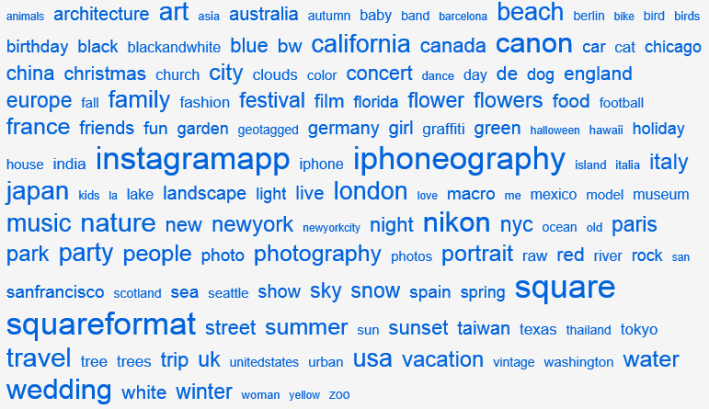
Tags can be used liberally without any penalty and most photo sharing sites on the internet have a limit on tags between 50 and 100. Tags normally describe the who, what, where, when, and why of the photo. Tags can be both generic and specific so your photo can be easily found by the widest possible audience and easily identified and interpreted by search engines. For example to tag our filename boy-dog-running-soccer-field.jpg I might choose the tags boy;Paul;dog;Cal;running;chasing;frisbee;soccer field;Columbia;SC;January;winter;exercise;snow.
Another way to easily come up with tags is to utilize something called a “Keywording Tool” (http://arcurs.com/keywording/index.php). To utilize this tool you input your proposed tag names and then perform a search of a photo sharing site using these tag names. Next you mark the photos that are returned by the search and are similar to the photo you are trying to tag. Last the tool returns the top tags used by the similar photos that you identified.